Generate AI-Powered Timelines from Public Events or Your Own Milestones
SmartDraw AI lets you create timelines using either natural language prompts or your own information. If you want to visualize historical events, industry developments, or other publicly known information, describe the timeline you want and let AI generate the events for you. If you already have a list of your organization's milestones, dates, or project events, simply provide that information and let SmartDraw turn it into a timeline automatically.
If you want to create a timeline about a series of historical events, a scientific discovery, or another topic with publicly available information, describe what you want using natural language and SmartDraw AI will generate a timeline for you.
Try these example prompts:
Generate a timeline showing the history of artificial intelligence.
Create a timeline of major milestones in the development of the Internet.
Build a timeline showing significant events in the discovery of the atom.
Generate a timeline showing important milestones in the development of EVs.
SmartDraw will rely on the AI platform's knowledge of relevant events and dates to generate an editable timeline. You can use SmartDraw to continue to tweak styles, colors, and positioning if needed.
Sometimes the events you want to visualize aren't publicly available. You may want to create a timeline for a product launch, construction project, research program, company initiative, or other internal project.
Instead of asking AI to generate the events, provide your own dates and milestones in the prompt. SmartDraw AI will use your information to create an editable timeline. Your information can be as simple as a list of dates and events. SmartDraw can also interpret CSVs with rows of events that have dates and at least a title property.
Try this hypothetical drug development timeline:
January 2022 - Target identification
April 2022 - RX-417 selected
September 2022 - Preclinical efficacy study
February 2023 - Toxicology study complete
January 2024 - IND application
February 2024 - IND cleared
April 2024 - Phase 1 clinical trial start
March 2025 - Phase 1 data review completed
June 2025 - Phase 2 started
June 2026 - Phase 2 completed
August 2026 - FDA meeting
SmartDraw will format the information provided into a timeline that you can edit.
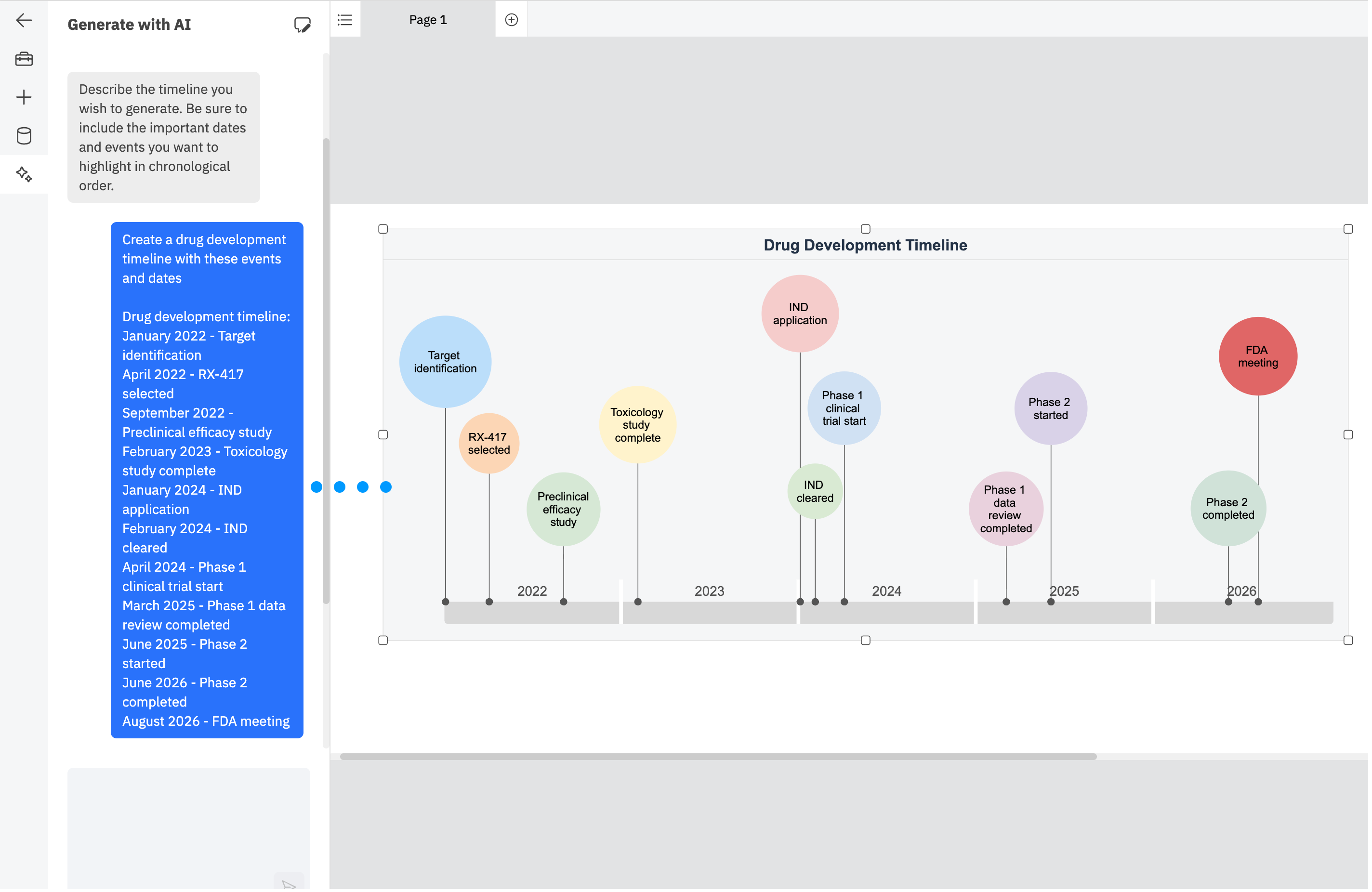
Once your timeline is generated, you can continue to edit it in SmartDraw:
- Add, remove, or update events
- Change dates and milestone descriptions
- Rearrange events
- Add additional milestones
- Apply colors and styles
- Add notes, hyperlinks, or other information
- Collaborate with teammates
Whether you're asking AI to generate a timeline from publicly known events or visualizing milestones only your organization knows, the generated timeline is just the starting point. SmartDraw gives you the tools to refine the result and turn it into a polished, professional timeline.
Use SmartDraw's AI to quickly generate the structure, then continue editing your timeline using SmartDraw's built-in timeline tools.
Learn more about timelines in SmartDraw.